
Set Up Check-In and Check-Out Times
How to Set Up Check-In and Check-Out Times
Book It Fast lets you set default check-in and check-out times for your properties. These times are displayed to guests in booking confirmations and pre-arrival emails, helping set clear expectations for their stay.
Step 1: Open Organisation Settings
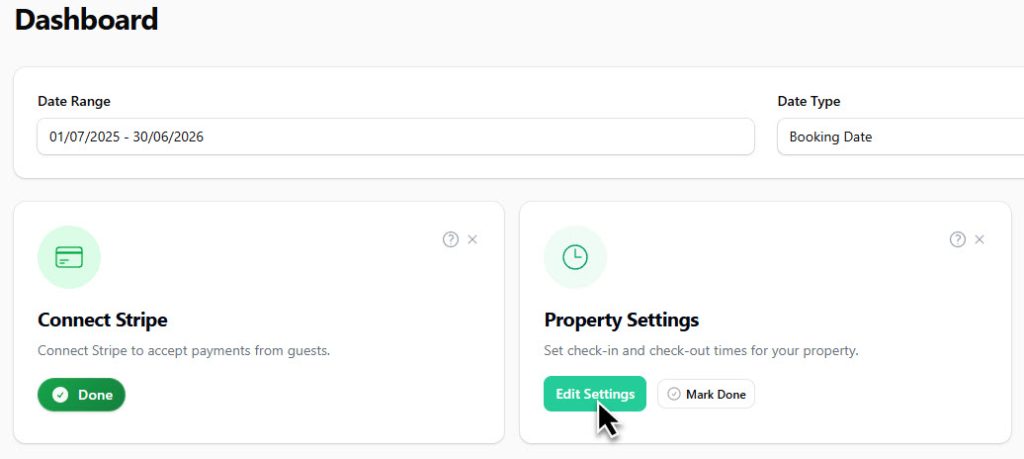
From the sidebar, click Settings (under your property name). This opens the Edit Organisation page. Or click on the button on the widget in the dashboard.
Step 2: Go to the Check In Details Tab
At the top of the Edit Organisation page, you will see several tabs: General Settings, Payment Settings, Email Settings, Email Layout, Check In Details, Deposit Rules, and Gift Certificates.
Click the Check In Details tab to access your check-in and check-out time settings.
Step 3: Set Your Default Check-In Time
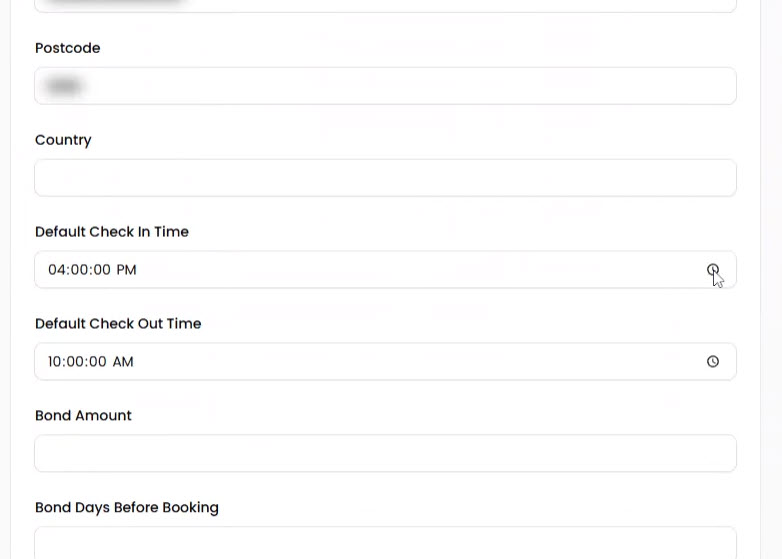
In the Default check in time field, click the time picker and select the time guests can check in. For example, 3:00 PM is a common check-in time for holiday rentals.
Step 4: Set Your Default Check-Out Time
In the Default check out time field, select the time guests need to check out by. A typical check-out time is 10:00 AM, which gives your cleaning team time to prepare the property for the next guest.
Step 5: Add Check-In Details for Guests
The Check In Details text editor lets you write instructions that are sent to guests before they arrive. Use this to include information such as:
- Access codes or lockbox instructions
- Parking information
- Wi-Fi password
- Directions to the property
- House rules or important notes
You can format the text using bold, italic, underline, bullet lists, numbered lists, and links.
Step 6: Save Your Changes
Click the green Save changes button to apply your settings. The check-in and check-out times will now appear in guest communications and booking confirmations.
How Check-In and Check-Out Times Work
Guest Communications
The times you set here are used in automated email templates sent to guests. The check-in details text is included in pre-arrival emails to help guests plan their journey.
Cleaning Schedules
Check-out and check-in times define the turnaround window between guests. Your cleaning team (visible in the Cleaner companion app) will see these times to plan their work schedule. Setting a 10:00 AM check-out and 3:00 PM check-in gives a 5-hour window for cleaning and property preparation.
Tips
- Be consistent across platforms. If you list your property on Airbnb or Booking.com, make sure your check-in and check-out times match what you set in Book It Fast.
- Allow enough turnaround time. Give your cleaning team at least 3-5 hours between check-out and the next check-in.
- Keep check-in details up to date. If your access codes or parking instructions change, update them promptly so guests always receive accurate information.