
Add the booking calendar to your website
At the moment this guide only supports WordPress websites. We are working on other platforms too.
Open the wordpress website and go to plugins in the left hand menu.
Click Add Plugin
Type in bookitfast (all one word) into the search bar.
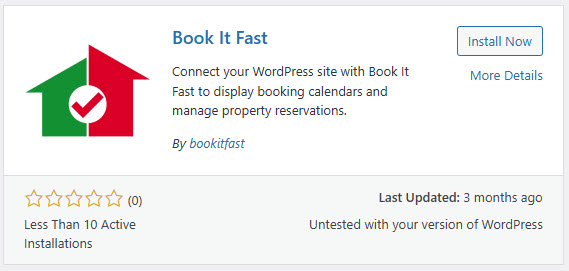
After installation click on activate for the plugin to become activated in your WordPress installation.
Then a “Book It Fast” side menu item should appear
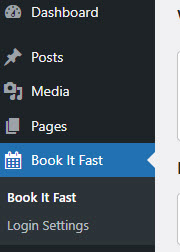
Click on the login settings and then enter in your book it fast login details.
This will then login to the system and store a token in the websites database.
After this, we can use the plugin in the gutenberg editor.
Create a new page (only needed if not adding to an existing page)
Go to the pages menu on the left and click on add page

Where the blocks appear click on the plus button
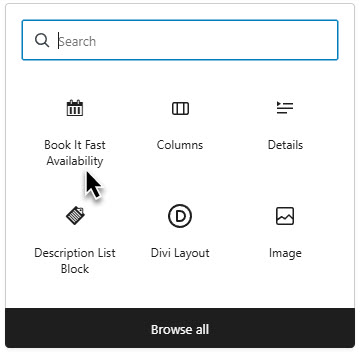
The block will then appear on the page.
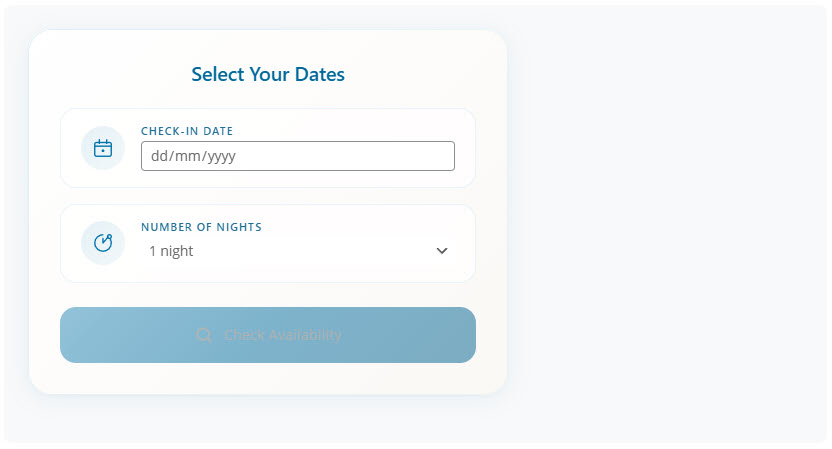
You can then click the block to edit the block settings
You can select the style of the layout (stacked or horizontal) and then you need to select the properties to include.
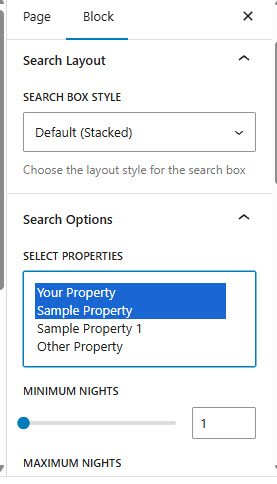
Then you can adjust other areas such as the results area etc.
Once the properties are selected you can do a search in the block area, to give you the results area, which can then be fine tuned and adjusted with the various options.
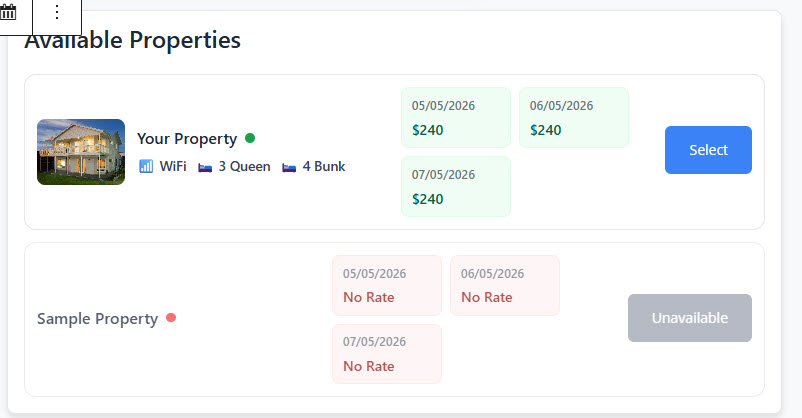
Selecting a property will then allow you to see the booking area, where you can also include fields.
Once you are happy with the results publich the page, and take a look at the live site.
Your booking calendar is now up and running and you can now take bookings for your holiday rental!