
Add Booking Channels
Overview
Book It Fast lets you sync bookings from popular platforms like Airbnb, Booking.com, and VRBO using iCal feeds. When you add a booking channel, your availability is automatically kept in sync — bookings made on one platform will block dates on the others, helping you avoid double bookings.
Before You Start
- You need at least one property set up in Book It Fast
- You need the iCal feed URL from your listing on Airbnb, Booking.com, or VRBO
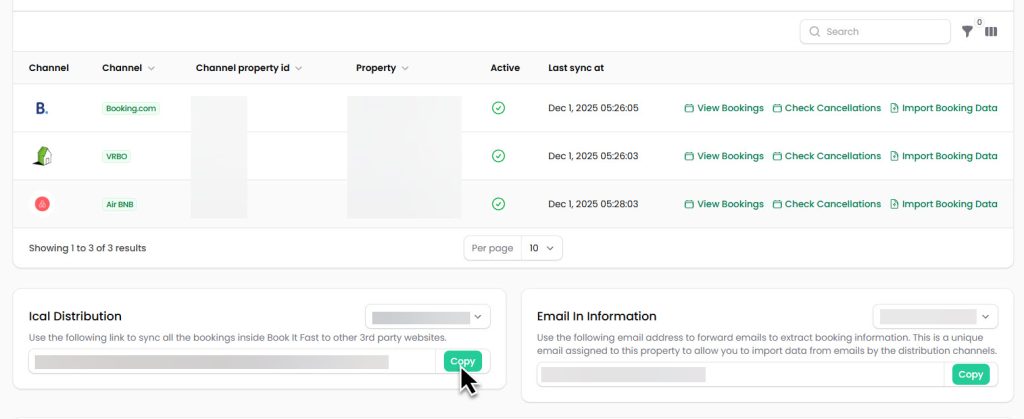
How to Find Your iCal Feed URL
Airbnb
- Log into your Airbnb host account
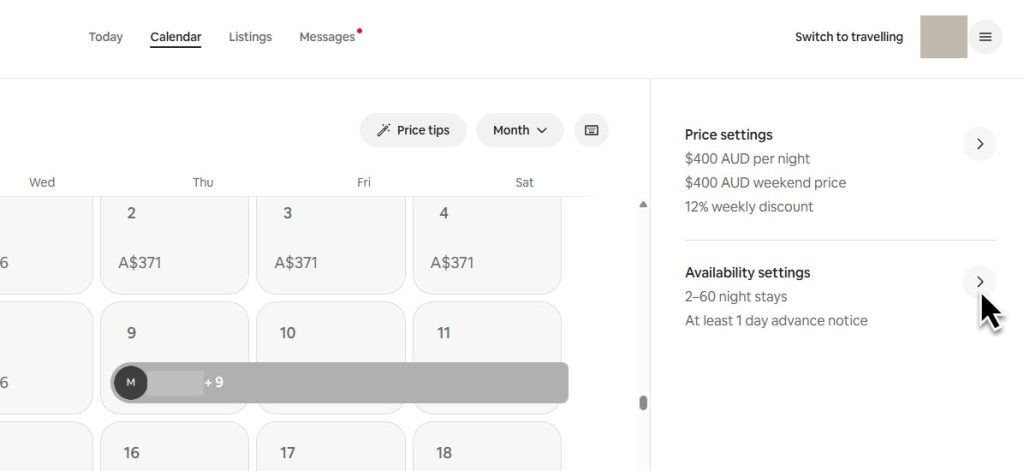
- Go to your listing’s Calendar
- Click Pricing and availability > Availability
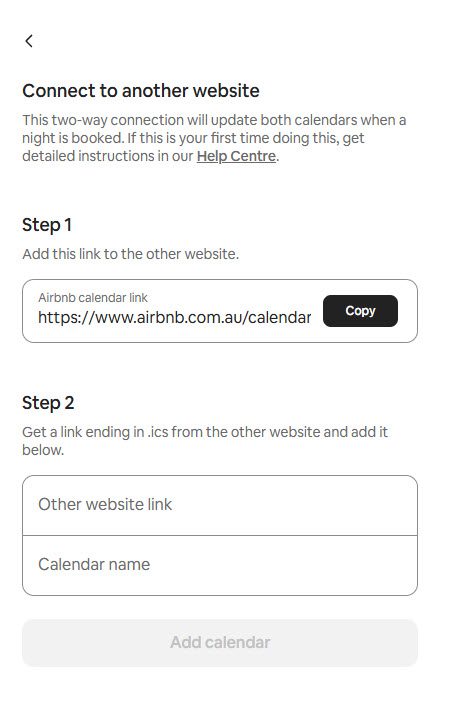
- Scroll to Connect calendars and copy the Export Calendar link
Booking.com
- Log into your Booking.com Extranet (admin.booking.com)
- Go to Rates & Availability > Sync calendars
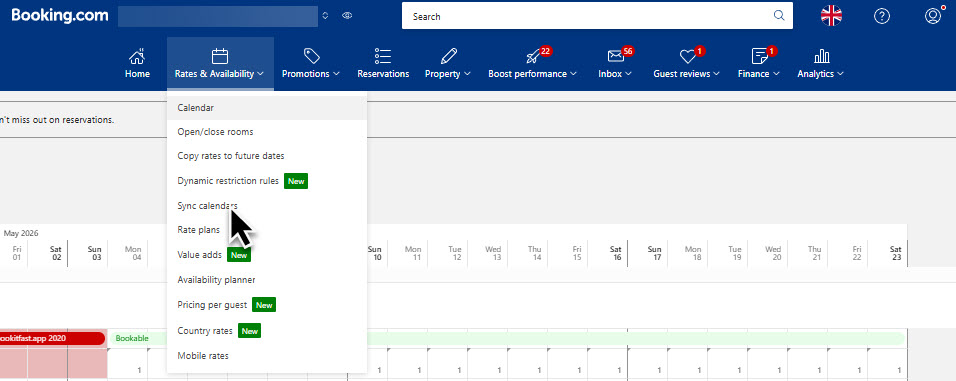
Click on Add Calendar Connection
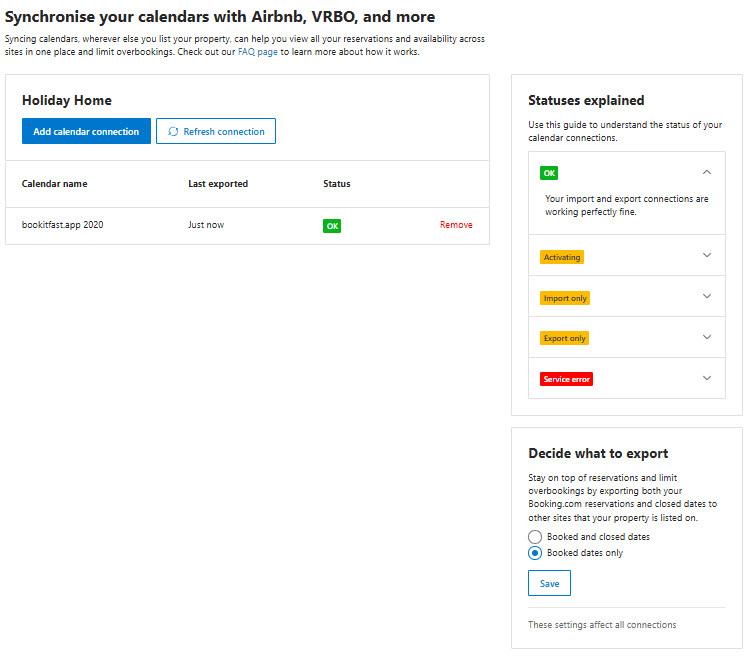
Enter the url from book it fast, and add a calendar name like “Book It Fast”
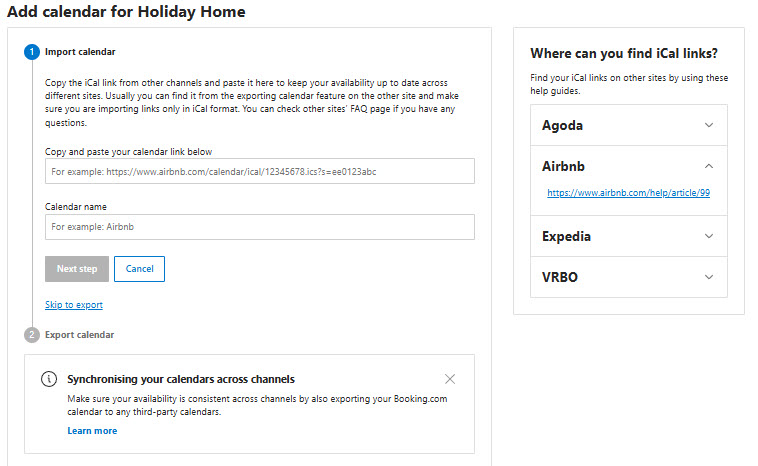
Copy the iCal export URL provided into the distributions area in Book It Fast to enable the two way sync.
VRBO
- Log into your VRBO owner dashboard
- Go to Calendar > Import/Export
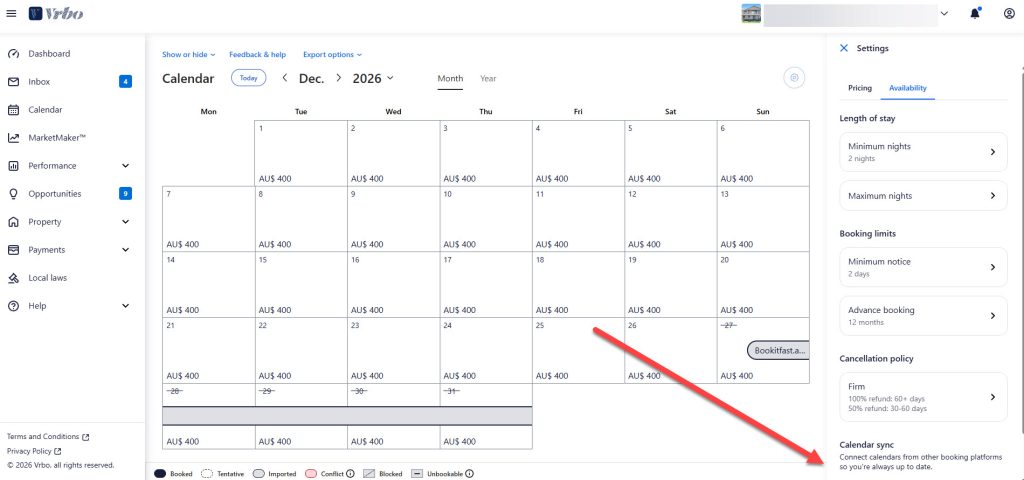
Click on add new
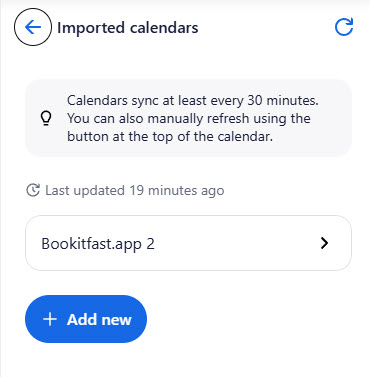
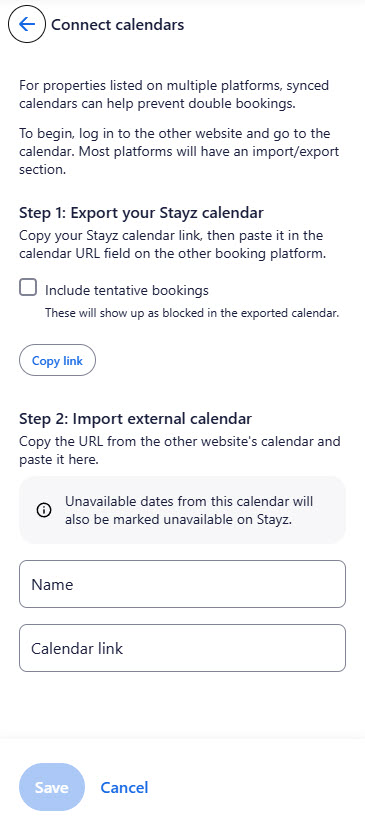
Copy the Export calendar URL
Add the ical link from book it fast and then name it. We recommend doing a custom ical connection for this to prevent re-importing stayz bookings into vrbo. You can do this from the distributions page at the bottom of the page, exclude vrbo channels
Steps to Add a Booking Channel
- In your Book It Fast admin panel, go to Property Settings > Distributions in the sidebar
- Click the New distribution button at the top of the page
- Select the Channel from the dropdown (Air BNB, Booking.com, or VRBO)
- Enter the Channel property ID — this is your listing ID on the external platform
- Select the Property you want to link this channel to
- Paste the iCal feed URL you copied from the booking platform
- Make sure the Active toggle is turned on
- Click Create to save the distribution
Managing Your Channels
Once added, your channels appear in the Distributions list. From here you can:
- Sync Bookings — Click the Sync Bookings button at the top to manually trigger a sync across all channels
- View Bookings — See all bookings that have come through from a specific channel
- Check Cancellations — Review any cancellations from the channel
- Import Booking Data — Import historical booking data (useful for Booking.com CSV imports)
Tips
- Book It Fast automatically syncs your channels on a regular schedule, but you can always trigger a manual sync
- You can connect multiple channels to the same property — this is how you manage listings across multiple platforms
- If you need to temporarily disconnect a channel, toggle the Active switch off rather than deleting it
- You can filter the Distributions list by property using the filter options