
View Upcoming Cleans (Cleaner)
Accessing the Cleaner Panel
As a cleaner, you can view your upcoming cleaning assignments through the Book It Fast Cleaner Panel. You can access it in two ways:
- Cleaner Companion App — download from the Google Play Store or Apple App Store. Search for “Book It Fast” and log in with the credentials provided by your property owner.
- Web Panel — visit the Book It Fast website and log in. Select Cleaner Panel from the menu to switch to the cleaner view.
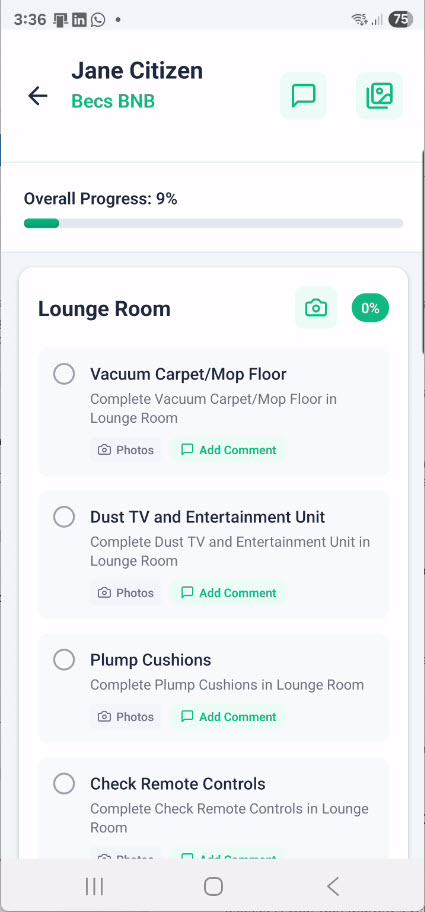
Viewing Upcoming Cleans
Using the Bookings Page
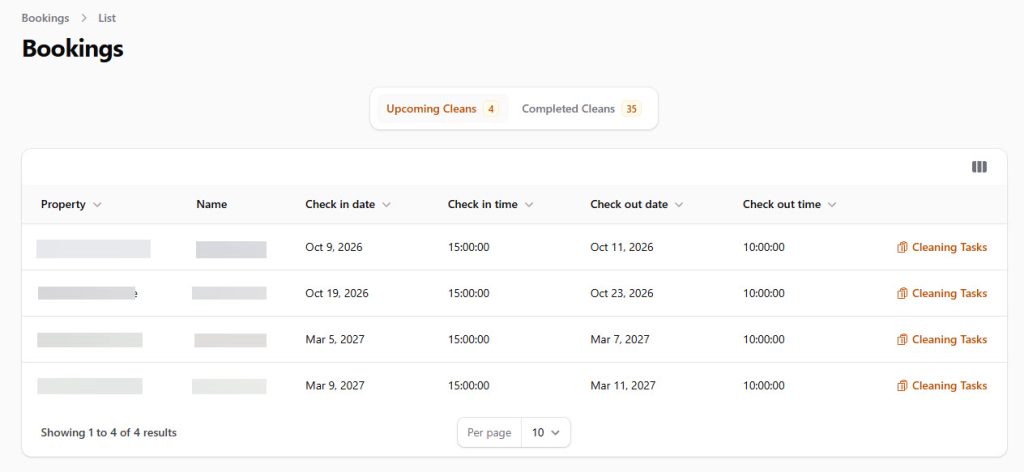
From the sidebar menu, tap or click Bookings. This shows a list of all your cleaning assignments, split into two tabs:
- Upcoming Cleans — shows all future cleaning assignments that have not yet been completed. The number next to the tab shows how many upcoming cleans you have.
- Completed Cleans — shows cleaning assignments you have already finished.
Each clean in the list shows the following details:
- Property — which property needs to be cleaned
- Name — the guest’s name for the booking
- Check in date — when the next guest arrives
- Check in time — the scheduled check-in time
- Check out date — when the current guest departs
- Check out time — the scheduled check-out time
You can sort the list by tapping any column header (e.g. sort by check-out date to see which cleans are due first).
Clicking on the cleaning tasks will slide out the cleaning tasks for that clean which can be checked off as they are done.
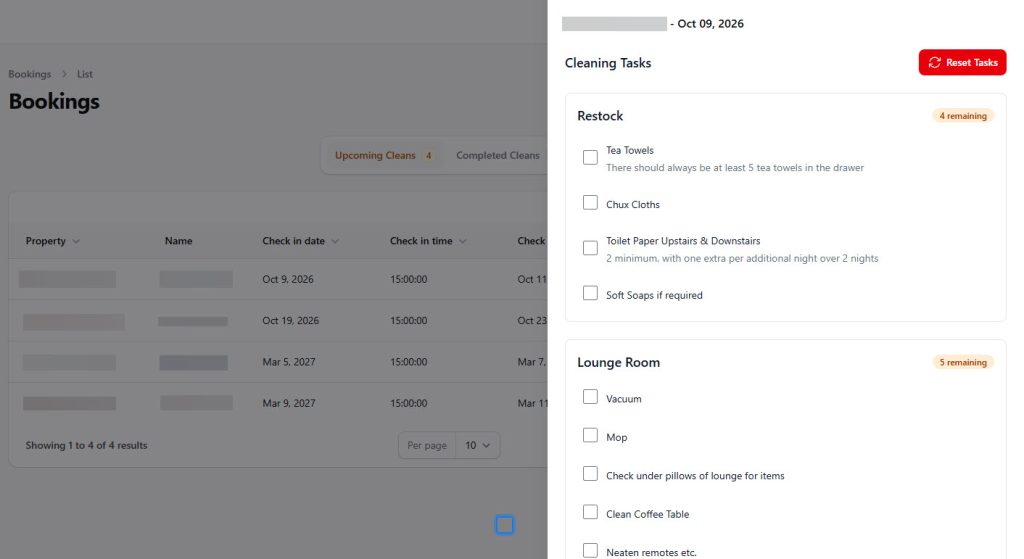
Using the Dashboard Calendar
The Dashboard page shows a monthly calendar view. Days with assigned cleans will appear highlighted on the calendar, giving you a quick overview of your schedule for the month. Use the arrow buttons to navigate between months, or tap today to jump back to the current date.
Using the Booking Calendar
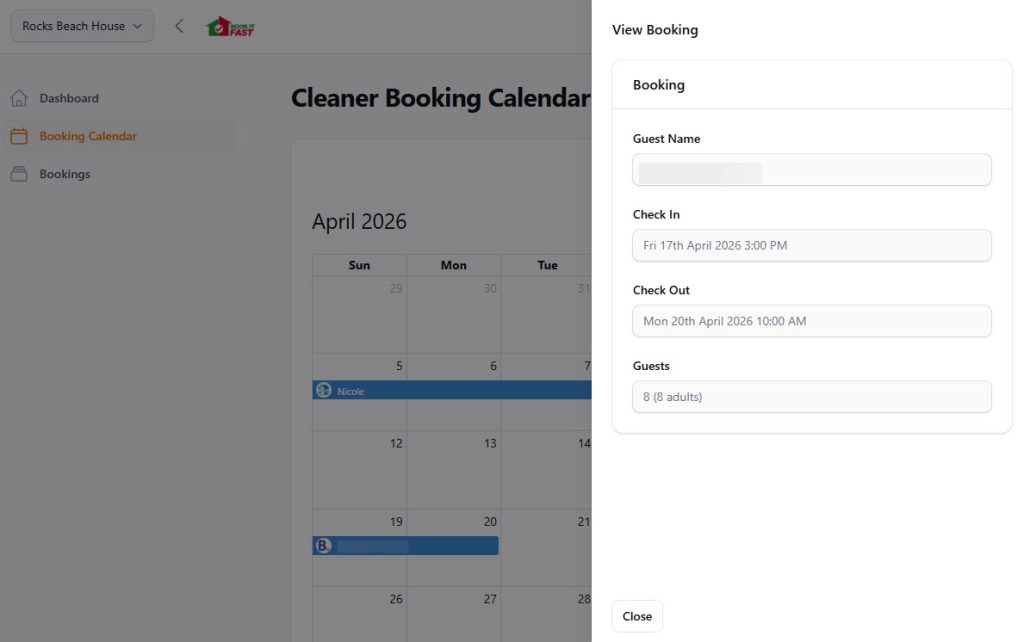
The Booking Calendar page provides a more detailed calendar view of your assigned cleans. This is useful for seeing exactly which days you have cleans scheduled and planning your week.
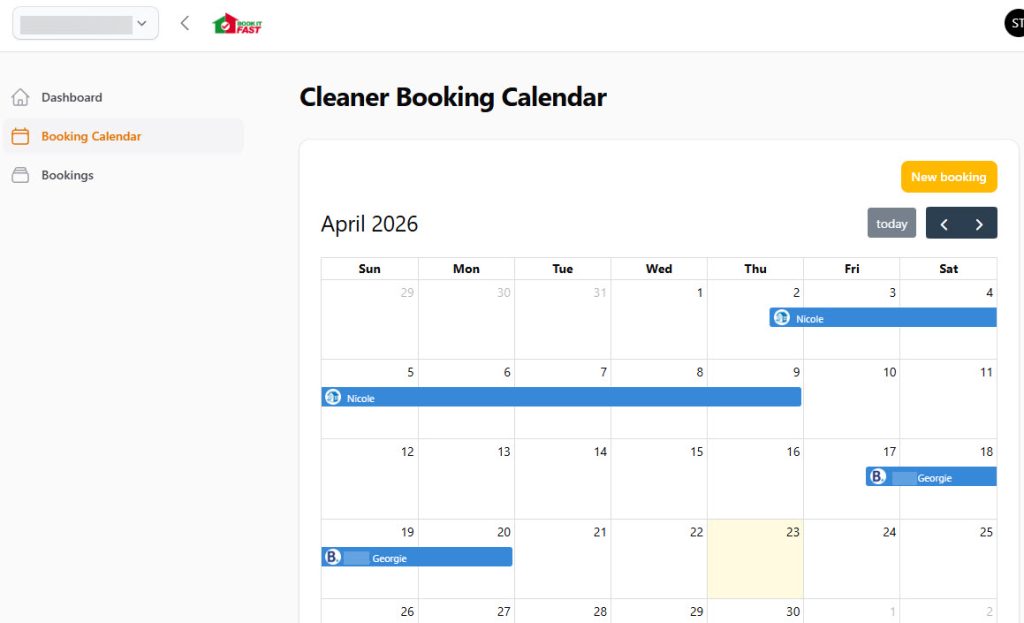
Clicking on a booking will give more information about the booking such as check in times and in some cases the number of guests if it is provided.
Switching Between Properties
If you clean for more than one property, use the property selector in the top-left corner to switch between them. Your upcoming cleans and calendar will update to show assignments for the selected property.
Tips
- Check the check-out time. The check-out time tells you when the departing guest should be leaving, so you know when it is safe to start cleaning.
- Check the check-in time. The check-in time tells you when the next guest arrives, so you know your deadline for finishing the clean.
- Check regularly. New bookings may be added at any time. Check your upcoming cleans often so you are always prepared.
- Use the app for notifications. The Book It Fast Cleaner companion app can send you notifications when new cleans are assigned, so you never miss an assignment.